
Business Integration Solutions documentation
About: XML Minifier activity
In Business Integration Solutions, use the XML Minifier activity to clean an XML document of empty nodes and blocks that are not mandatory.
Set up the XML Minifier
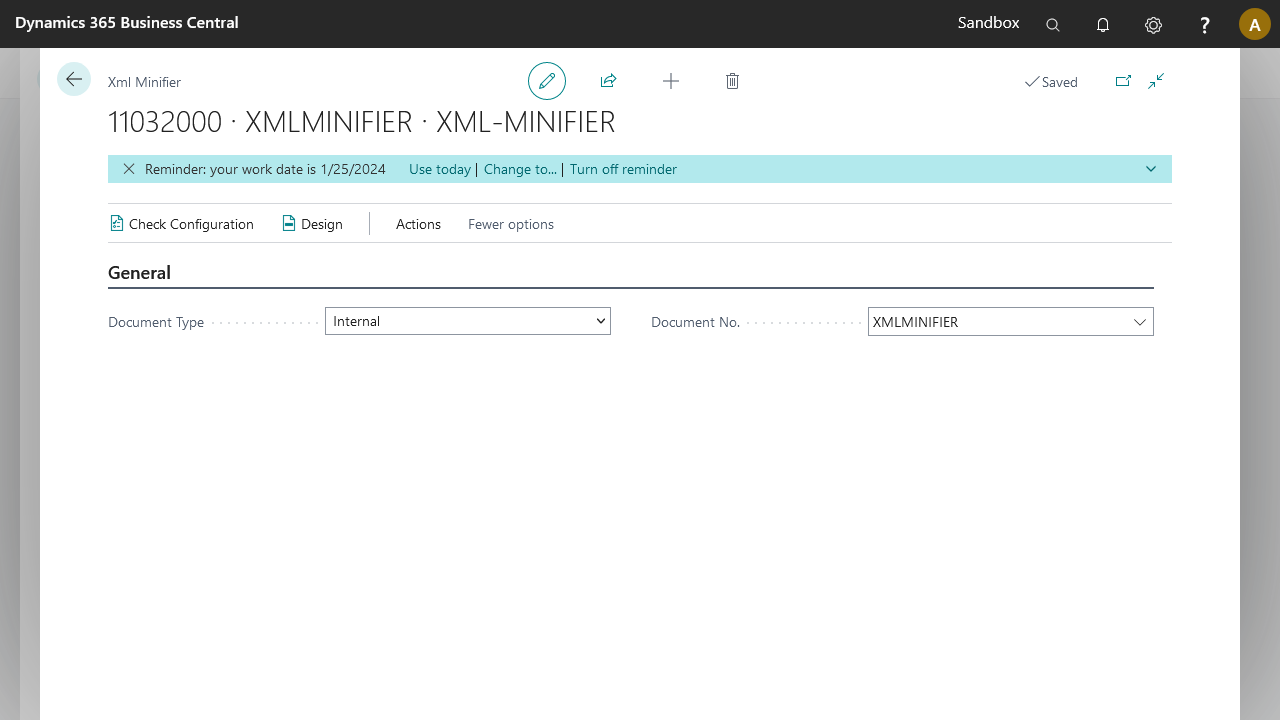
| Field | Description |
|---|---|
| Document Type | Specifies whether the linked document is External or Internal. |
| Document No. | Specifies the linked document. |
Examples
Example 1: single-level document
This example uses a simple internal document based on the SalespersonPurchaser table. It contains two mandatory fields: GlobalDimension1Code and NextTaskDate.
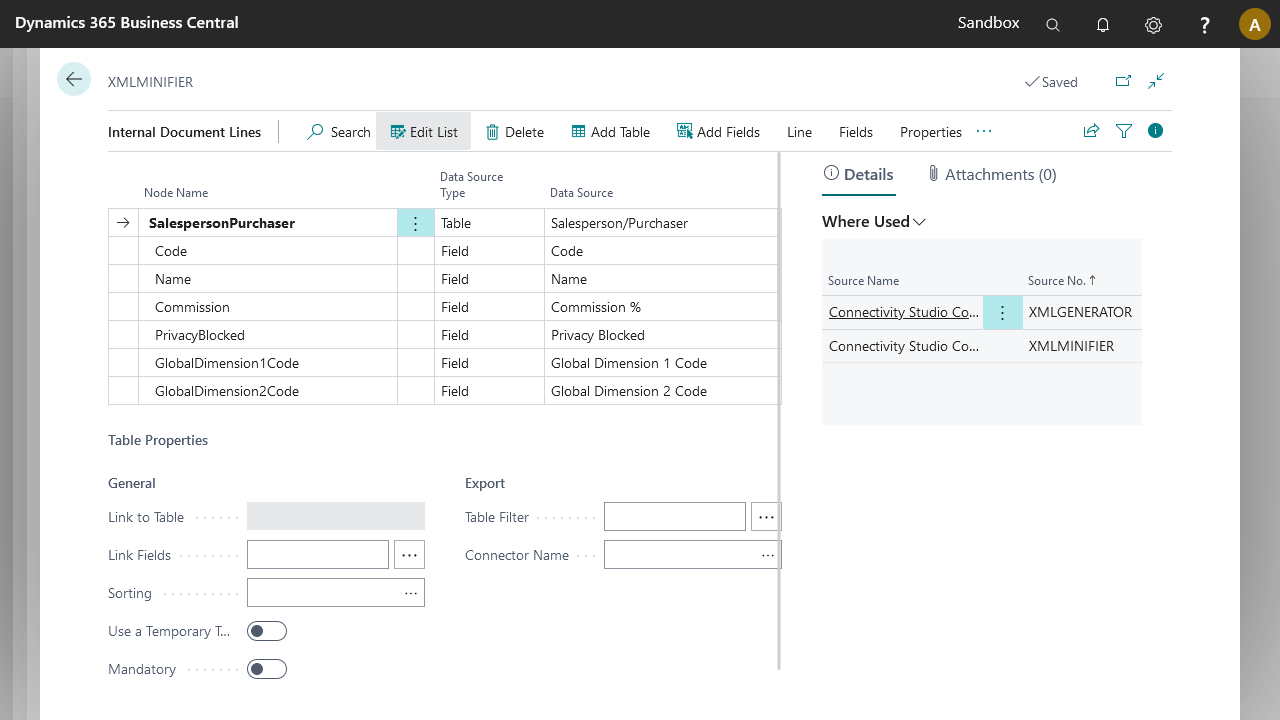
The following connection retrieves test data for the XML Minifier:
Timer Event > XML Generator > Mapper
- Timer Event: exports a set of records from BC.
- XML Generator: maps the set of records to a readable XML structure.
- Mapper: creates a mapped document to process with the XML Minifier. In this example, the same document is the source and target, with 1:1 mapping.
The XML document sent to the XML Minifier has the following structure. The mandatory node GlobalDimension1Code is empty, and the non-mandatory nodes GlobalDimension2Code and PhoneNo are empty as well.
<?xml version="1.0" encoding="utf-8"?>
<document>
  <SalespersonPurchaser>
    <Code>HR</Code>
    <Name>Helena Ray</Name>
    <Commission>0</Commission>
    <PrivacyBlocked>false</PrivacyBlocked>
    <GlobalDimension1Code></GlobalDimension1Code>
    <GlobalDimension2Code></GlobalDimension2Code>
    <EMail>HR@contoso.com</EMail>
    <PhoneNo></PhoneNo>
    <NextTaskDate>2024-01-20</NextTaskDate>
    <NoofOpportunities>11</NoofOpportunities>
  </SalespersonPurchaser>
</document>
The XML document from the XML Minifier has the following structure. The empty mandatory node GlobalDimension1Code remains in the structure, while the non-mandatory nodes GlobalDimension2Code and PhoneNo are removed.
<SalespersonPurchaser>
    <Code>HR</Code>
    <Name>Helena Ray</Name>
    <Commission>0</Commission>
    <PrivacyBlocked>false</PrivacyBlocked>
    <GlobalDimension1Code></GlobalDimension1Code>
    <EMail>HR@contoso.com</EMail>
    <NextTaskDate>2024-01-20</NextTaskDate>
    <NoofOpportunities>11</NoofOpportunities>
</SalespersonPurchaser>
Example 2: multi-level document
This example uses a multi-level internal document based on the SalesHeader, SalesLine, and Item tables. The mandatory nodes are SalesHeader/YourReference and Item.

Using the same connection setup as example 1 but with the multi-level document, and with no node mapped inside the Item block, the document from the Mapper has the following structure.
<?xml version="1.0" encoding="utf-16"?>
<document xmlns:msxsl="urn:schemas-microsoft-com:xslt" xmlns:st="urn:Streamer" xmlns:dt="urn:schemas-microsoft-com:datatypes" xmlns:ti="http://www.to-increase.com/data/document">
  <SalesHeader>
    <SelltoCustomerNo>30000</SelltoCustomerNo>
    <No>101005</No>
    <YourReference></YourReference>
    <SalesLine>
      <LineNo>10000</LineNo>
      <Type>2</Type>
      <No>1920-S</No>
      <Description>ANTWERP Conference Table</Description>
      <JobNo></JobNo>
      <Item>
        <No></No>
        <Description></Description>
        <UnitCost></UnitCost>
        <StandardCost></StandardCost>
      </Item>
    </SalesLine>
  </SalesHeader>
</document>
The XML document from the XML Minifier has the following structure. The empty mandatory nodes SalesHeader/YourReference and Item remain in the structure, while the non-mandatory node JobNo and the nodes inside Item are removed.
<document xmlns:msxsl="urn:schemas-microsoft-com:xslt" xmlns:st="urn:Streamer" xmlns:dt="urn:schemas-microsoft-com:datatypes" xmlns:ti="http://www.to-increase.com/data/document">
  <SalesHeader>
    <SelltoCustomerNo>30000</SelltoCustomerNo>
    <No>101005</No>
    <YourReference />
    <SalesLine>
      <LineNo>10000</LineNo>
      <Type>2</Type>
      <No>1920-S</No>
      <Description>ANTWERP Conference Table</Description>
      <Item/>
    </SalesLine>
  </SalesHeader>
</document>