
Business Integration Solutions documentation
Solution Center
Solution Center maintains global setup values for BIS and its related products. You can control new features and experimental fixes in the setup before they become generally available.
 Solution Center Setup is only available in search via "Solution Center Setup".
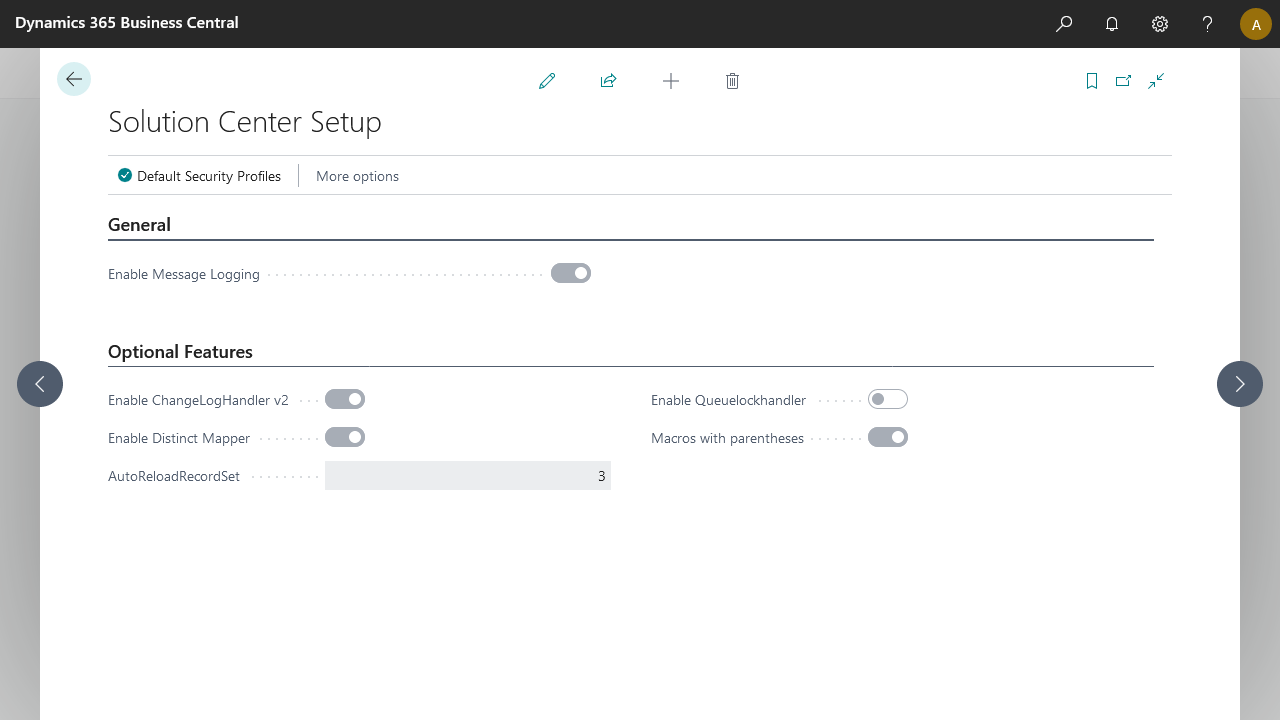
General setup
Enable message logging
You can enable or disable the message log. Disabling this setting processes messages without storing them.
This setting will be expanded with more features in a future retention policy update.
Edit the body of failed messages
The Edit the Body of Failed Messages feature lets users correct data in failed message entries. When you enable this feature, the Edit Message action becomes visible and available in failed message log entries.
This setting was introduced for Error Logging.
Default security profiles
Manage the default security profiles per endpoint.
Optional setup
Enable Changeloghandler v2
The Enable Change Log Handler V2 setting addresses performance issues. The record change event code is updated and you can enable this feature in Solution Center Setup. When enabled, record changes are logged via the new handler, which improves performance. This feature will become a standard feature in the future.
This setting was introduced for the Record Change Event.
Enable Distinct Mapper
Enabling this feature (enabled by default) avoids parsing nodes with the same name in the same method, for example, xpath, constant, or full expression. This increases performance. It was introduced as an optional feature to avoid unforeseen consequences.
This setting was introduced for the Mapper Activity. This feature is stable and the setting is now marked obsolete, with expected removal in Q2 2022.
AutoReloadRecordset
Record changes can sometimes be processed before the transaction that captured the event has completed. This can result in the following error message:
The related recordset for this message could not be retrieved. Please retry.
To avoid this, a global retry option retries retrieving the recordset before triggering this error. Initially, this sets three attempts with an increasing delay between attempts.
You can modify this setting between 1 and 9 load attempts. This setting was introduced for the Record Change Event.
Enable Queuelockhandler
Several clients reported a bug where some messages stay "In Process" while the handling job queue entry has an error state. An experimental fix changes how BIS handles errors. Because this has a significant impact, this feature is initially disabled. It will be auto-enabled in the future.
This setting was introduced for Processing.
Macros with parentheses
A bug was reported where an Azure File Writer would sometimes fail when evaluating the file name, because macros containing curly brackets failed to evaluate. To prevent this, a new flag called Macros with parentheses was introduced in Solution Center Setup. When enabled, macros use parentheses () instead of curly brackets {}.
RecordGeneratorRelationsV2
When you enable this feature, the table relation in the internal document inherits all fields from its parent, even when those fields are not defined as separate nodes in the document.
When a field is set in both the child and the table relation, the value from the parent record overwrites the mapped value, even when empty. A warning appears when BIS detects this setup.
When you disable this feature, the table relation in the internal document only retrieves the child record to determine the found/not-found action. It inherits only the fields defined in the parent.
When a field is not set in the parent's definition but is in the table relation, BIS shows a warning that the document should not be used for import.
Notification Management
When you install Notification Management, a new tab becomes available on this page. It contains flags that make actions available for the out-of-the-box notifications.
| Flag | Description | Location |
|---|---|---|
| Enable Sales Quote Action | Adds a Send Notification action to the Sales Quote page, which triggers the NM_Sales.Quote notification. | 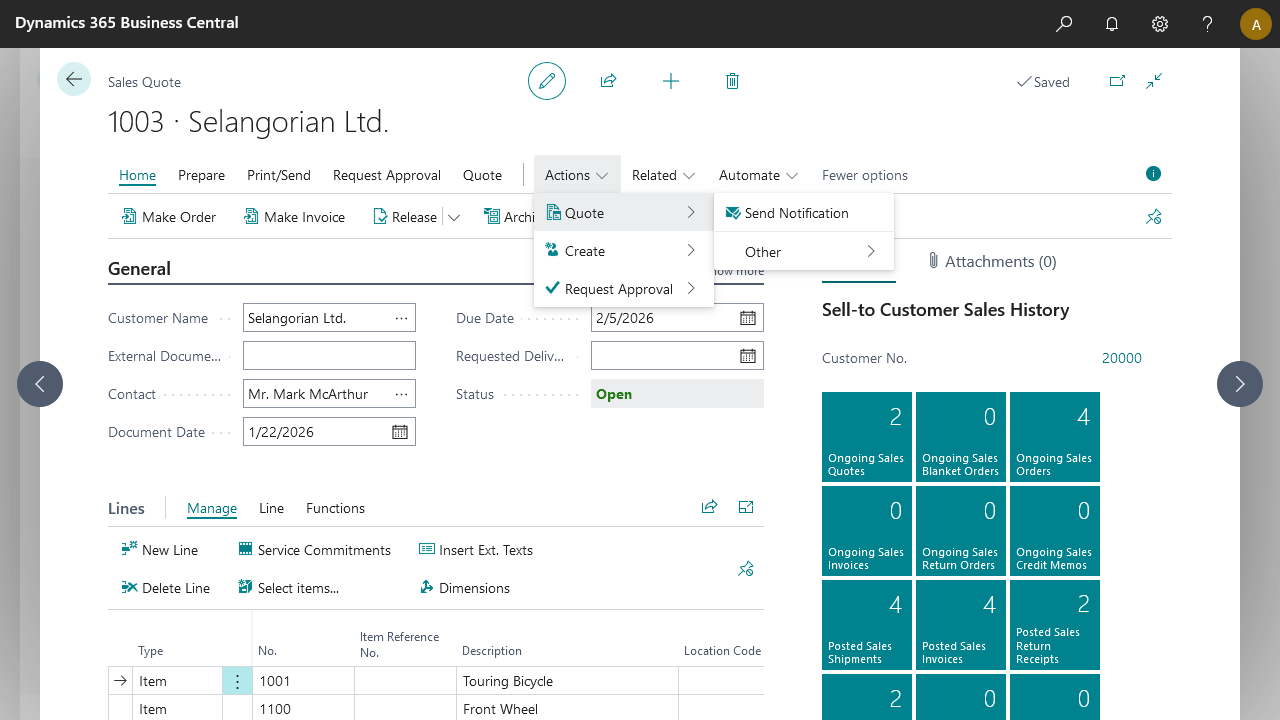 |
| Enable Sales Order Confirmation Action | Adds a Send Notification action to the Sales Order page, which triggers the NM_SO.Confirm notification. | 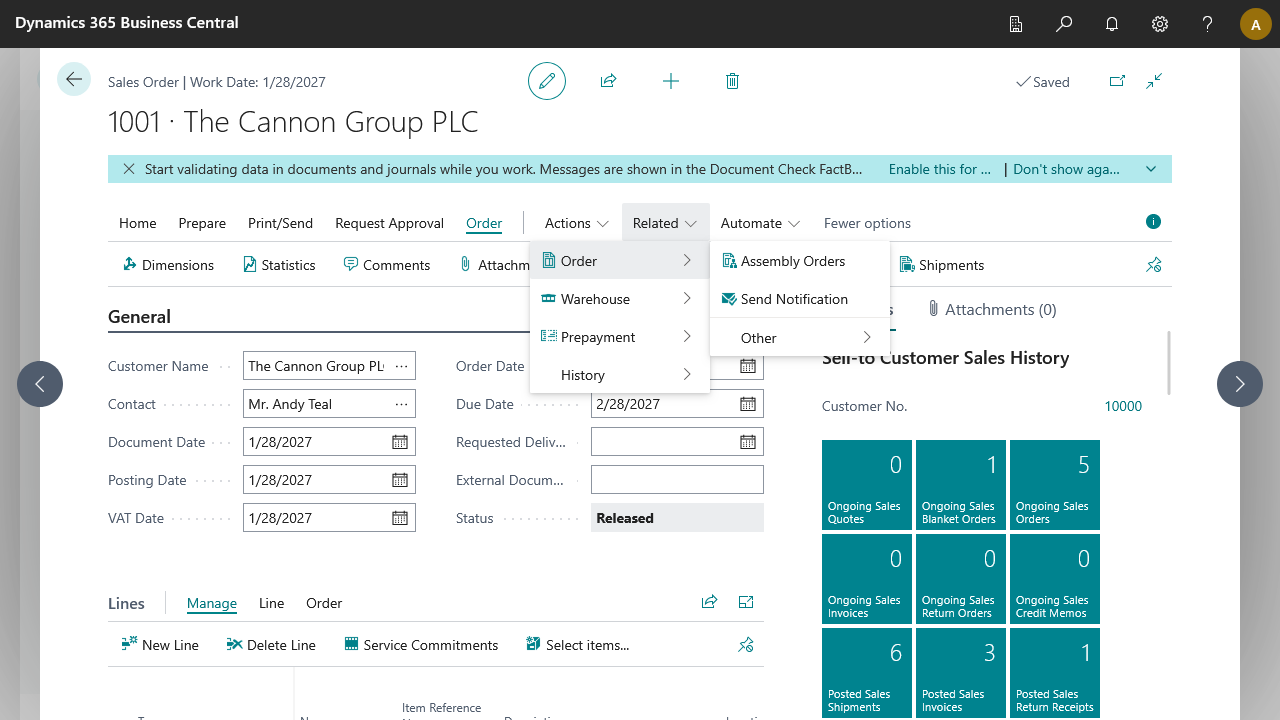 |
| Enable Blanket Sales Order Action | Adds a Send Notification action to the Blanket Sales Order page, which triggers the NM_BSO.Confirm notification. | 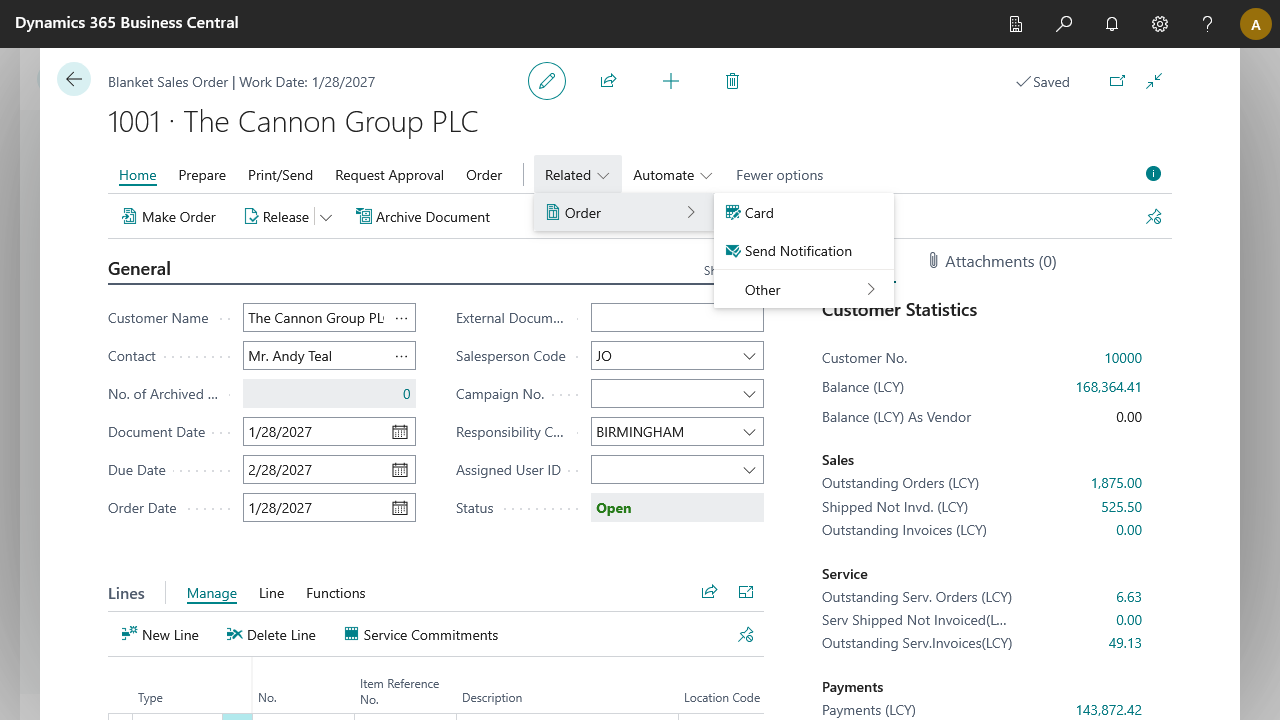 |