Business Integration Solutions documentation
EDI Studio
EDI Studio is available both on premise and on AppSource.
STAEDEAN EDI Studio supports your business processes by enabling the exchange of transactional data messages. Whether you need to support a multi-company or multi-site implementation, or want to implement EDI with your business partners, EDI Studio helps you manage the flow of information efficiently. The solution facilitates the exchange of almost any business-related document, including purchase and sales documents, service orders, warehouse transactions, and others.
Companies across many industries have used EDI for many years in various formats. Typical applications include purchase orders, acknowledgements, pricing schedules, order status inquiries, shipping and receiving scheduling and confirmation, invoices, and payments. EDI is essentially electronic, paperless contracting between two commercial parties.
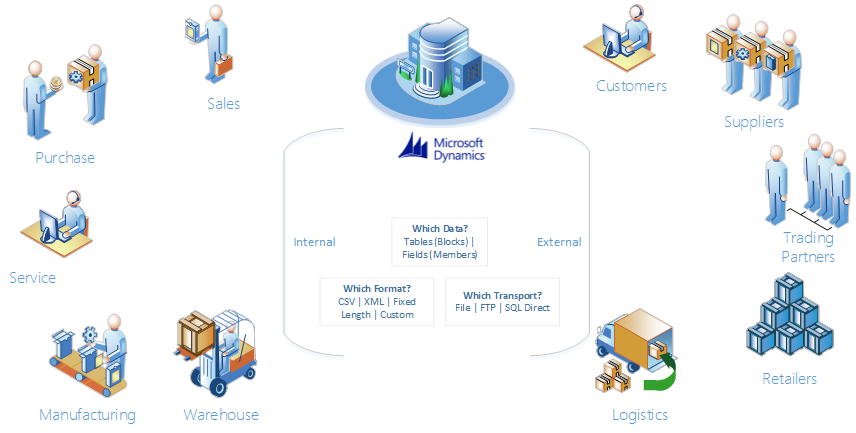
The following parties can be involved in EDI projects:
- Customer: The enterprise running Microsoft Dynamics BC that wants to use EDI for communication with its partners.
- Business Partner: The partners of the customer, who state external requirements on EDI communication, such as EDI messages to support, formats to use, communication ports to use, and contracts with various clauses.
- Partner: The Microsoft Dynamics BC implementation partner of the customer, responsible for implementing the Microsoft Dynamics BC software and the EDI integrations.
- EDI Partner: The EDI middleware provider, specialized in EDI message formats and reliable delivery, but not necessarily knowledgeable about the Microsoft Dynamics BC application.
- STAEDEAN: An ISV that delivers EDI Studio, an integration product for electronic document exchange.
The following flow diagram shows the general architecture when using STAEDEAN EDI Studio to generate from and process EDIFACT documents into BC:

The only third party that needs to be involved in the process is the EDI middleware provider.