Business Integration Solutions documentation
About: ATTACHMENTGENERATOR activity
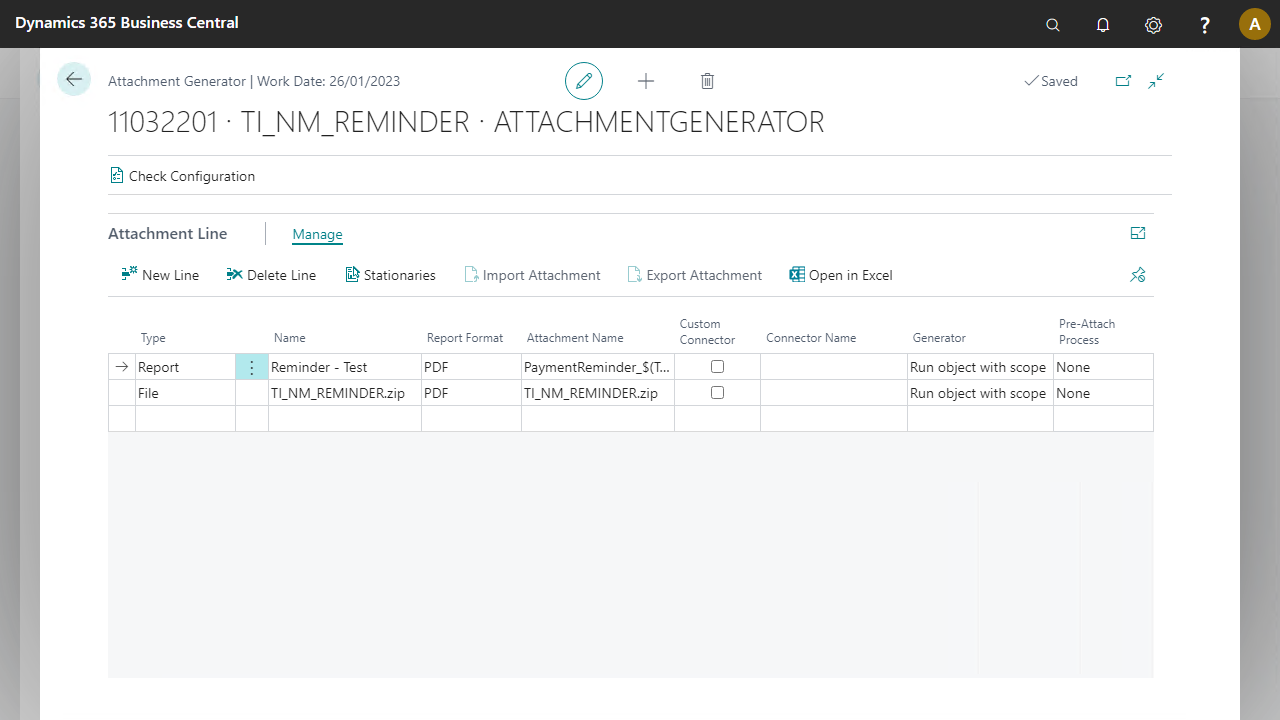
In Business Integration Solutions, use the ATTACHMENTGENERATOR activity to create attachments based on Business Central objects or to add files as an attachment to a message.
Usage
Use this activity to attach and send various files or Business Central reports together with notifications; for example, sales invoices, credit limit changes, or purchase receipts.
The Attachment Generator activity works best with endpoints capable of handling message attachments, such as the Outlook Writer or SMTP Writer endpoints.
Concept
The attachments are written to the attachment collection of a message. A supporting endpoint picks up this collection to send the complete message.
Using ATTACHMENTGENERATOR
See How To: Setup Attachment Generator Activity.
In the latest version, when you use a file attachment type, after uploading an attachment, the name takes the last 100 characters of the file name by default, including the extension. You can customize the attachment name.
In the SaaS version, you can generate a report in PDF format only. You can implement a custom generator and a custom pre-attach process to change how the attachment content is generated or modified before it attaches. Refer to Extending Attachment Generator for information.
Using ATTACHMENTGENERATOR on premise
In the on-premise version, you can generate a report in PDF, Microsoft Word, or Microsoft Excel format. If you choose PDF format, you can also select a PDF template using stationeries.
You can implement and apply a custom connector in the attachment line. For example, to combine all sales invoices into one report rather than sending individual reports, create a custom connector to make this change. Refer to Custom Report Connector for information.